How to use MyType FYI: pick faces and read your result
Learn how to use MyType FYI: choose faces across 10 free rounds, tap to reveal replacements, then sign in for a free base result. More rounds, posters and AI creations are optional choices.
Published · Independent guide and face preference test
How to use MyType FYI at the intended domain
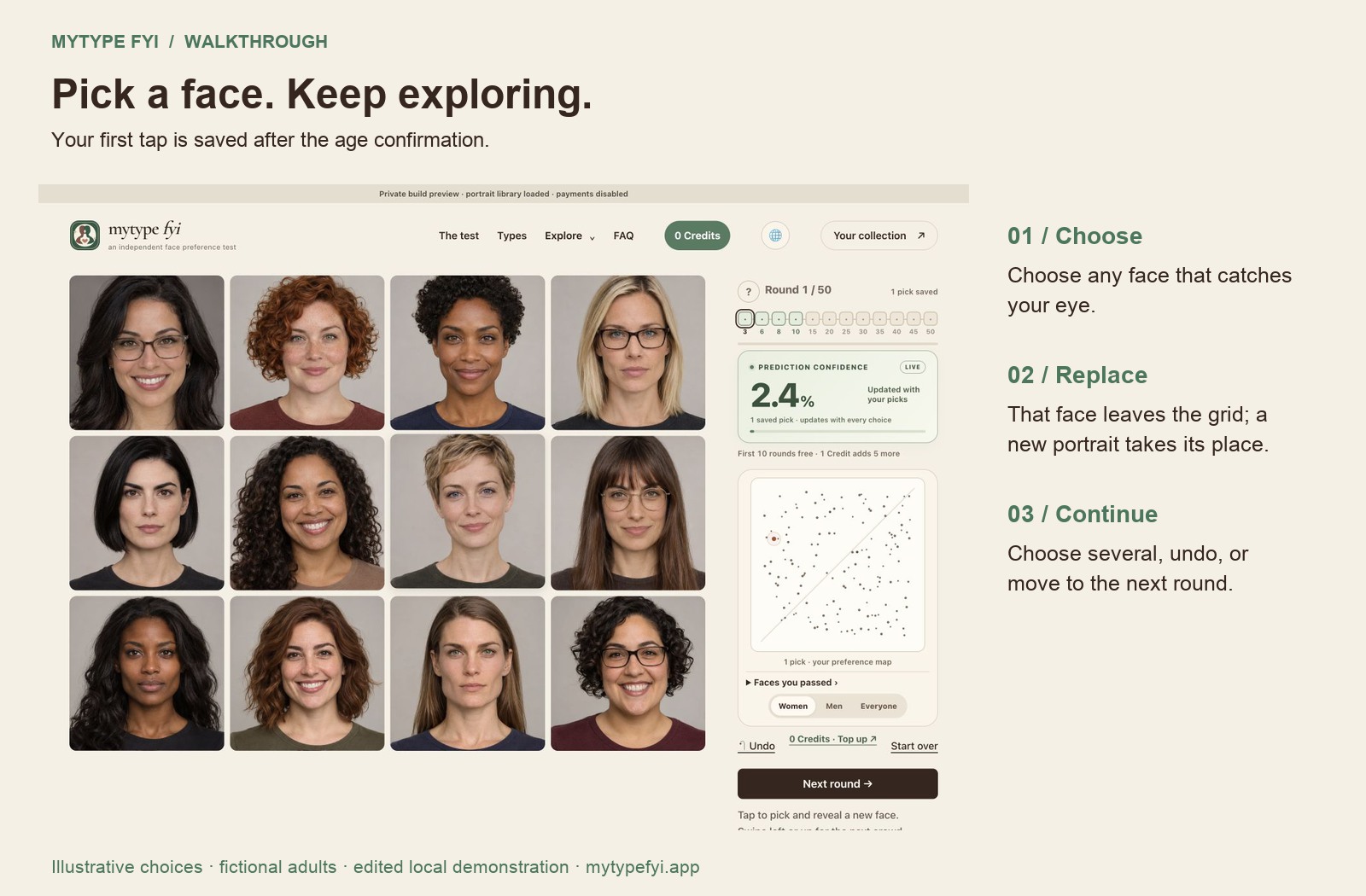
This guide explains how to use MyType FYI here, while distinguishing the original operator at mytype.fyi. Choose a portrait group and confirm you are 18 or older. Tap a face to save it and reveal another portrait in the same position. Choose as many as you like, or use Undo for your latest pick. Swipe left, swipe up when the grid fits, or press Next round to complete the 10 free rounds.
How to use MyType FYI to select faces
Learning how to use MyType FYI does not require guessing the answer the model expects. Choose the group of faces you want to explore. Select the portraits you are drawn to, using your first impression rather than searching for a correct answer. Use Undo to reverse your latest selection; a tapped portrait is immediately replaced. You can move on without selecting anyone, and there is no deadline to beat.
How to use MyType FYI after the tenth round
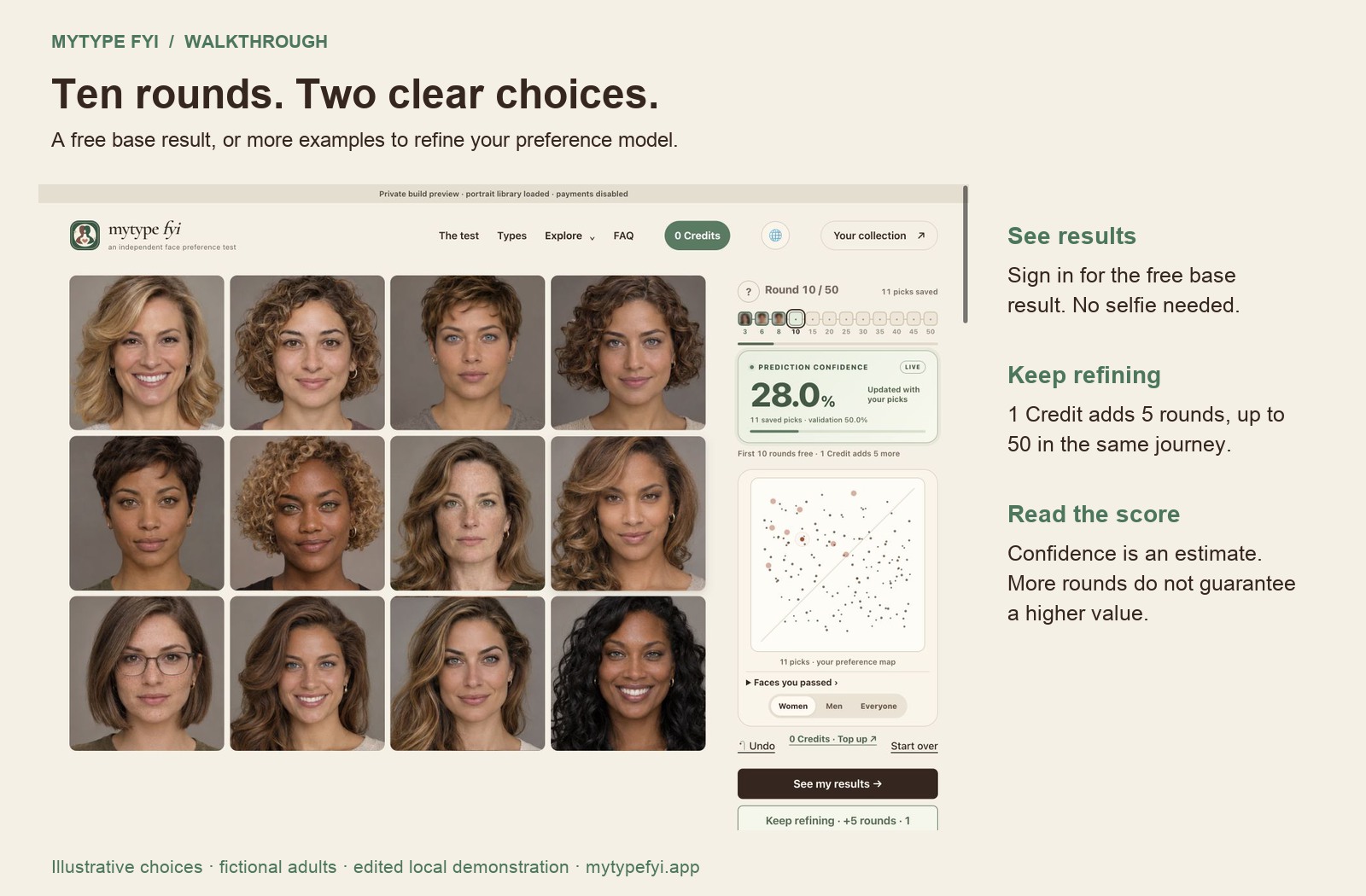
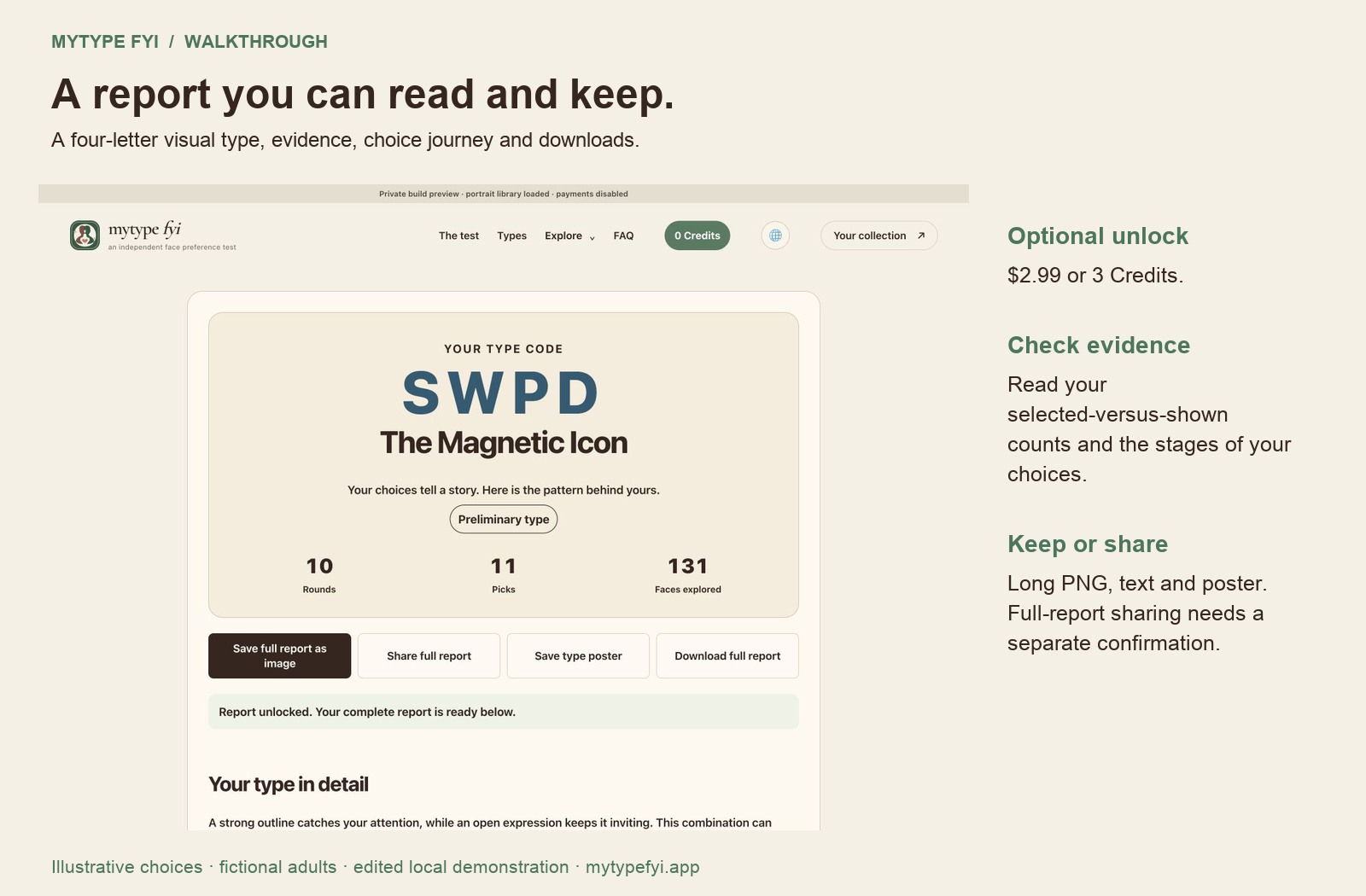
Knowing how to use MyType FYI includes understanding the result step. After 10 free rounds, sign in with Google or email and password to save your test and see the free base report. It contains your own selections, tentative visual details and suggestions. You can continue with five more rounds for one Credit, unlock a full report for $2.99 or three Credits, or make a free friend comparison link.
How to use MyType FYI without a selfie
If you want to know how to use MyType FYI without uploading a photo, start with the built-in portrait grid. The core test records selections, not an analysis of your own face. There is no reason to supply a selfie to begin.
How to use MyType FYI sharing controls
When learning how to use MyType FYI with friends, create the public share card explicitly. It contains a limited result snapshot. An account save, a private result address and a public card are different controls with different audiences.
How to use MyType FYI for a portrait or video
Here is how to use MyType FYI for a creation: finish the free test and open your result. Your preferences guide the portrait and action automatically. Choose the image or video button and confirm its displayed cost. Buying Credits does not start generation.
Sources & scope
For the original service, see MyType’s own explanation and current terms. Our test at mytypefyi.app has its own features, data handling and pricing. Features and prices at other services can change.